U.S. visa photo requirements
U.S. visa photo requirements for DS-160 explained in detail
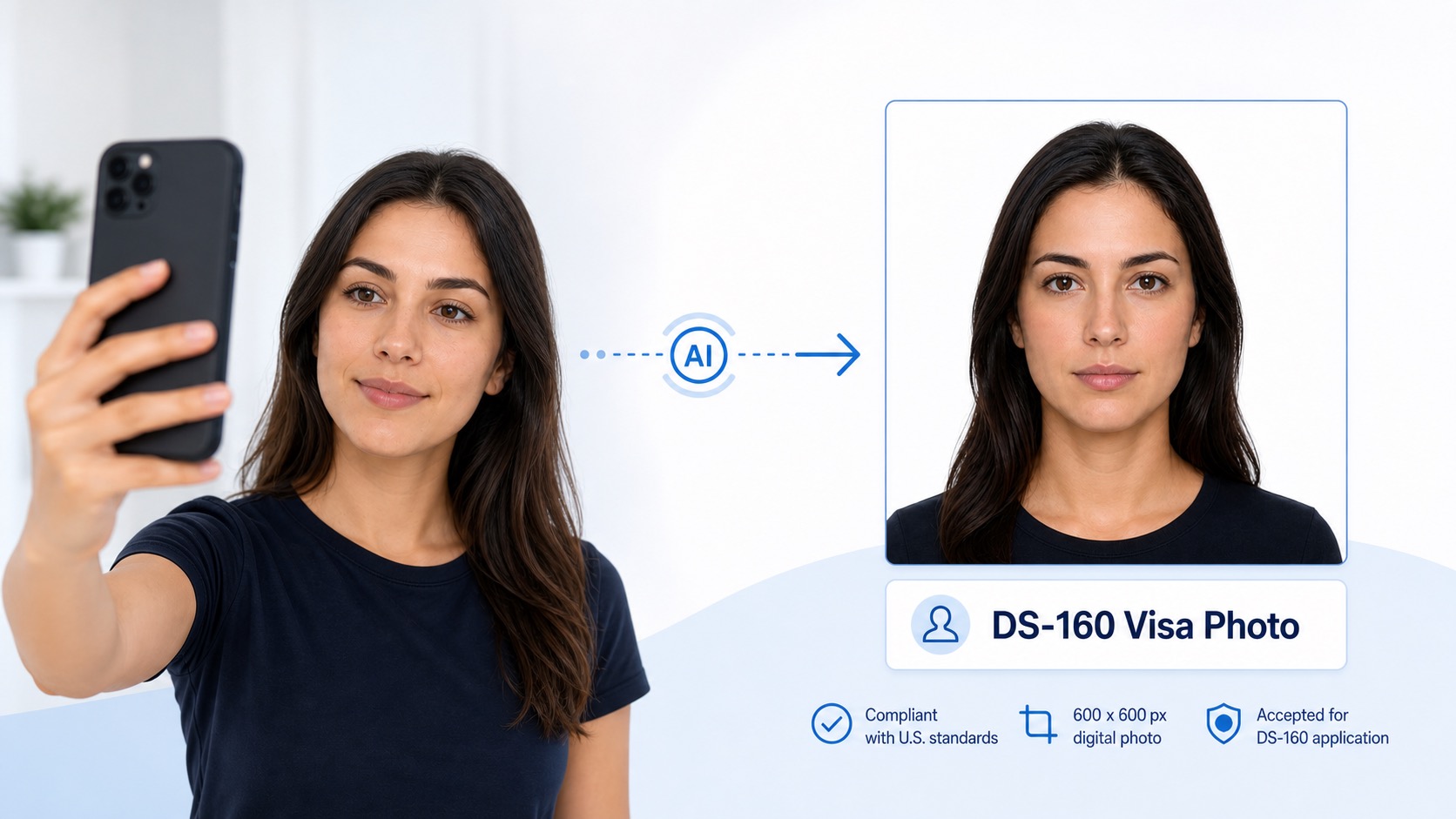
U.S. visa applications such as DS-160 and DS-1648 require a digital photo that meets strict composition and upload rules. The photo must be square, recent, correctly framed, plain in the background, and natural in appearance. This guide explains the official requirements and shows what to check before you upload your visa photo.
Digital size
600-1200 px
Square DS-160 image range.
Head height
50%-69%
Measured from chin to top of head.
File size
240 KB max
JPEG image in sRGB color.
Background
White or off-white
Plain, clean, and shadow-free.
Size and composition
1. U.S. visa photos are square and DS-160 ready
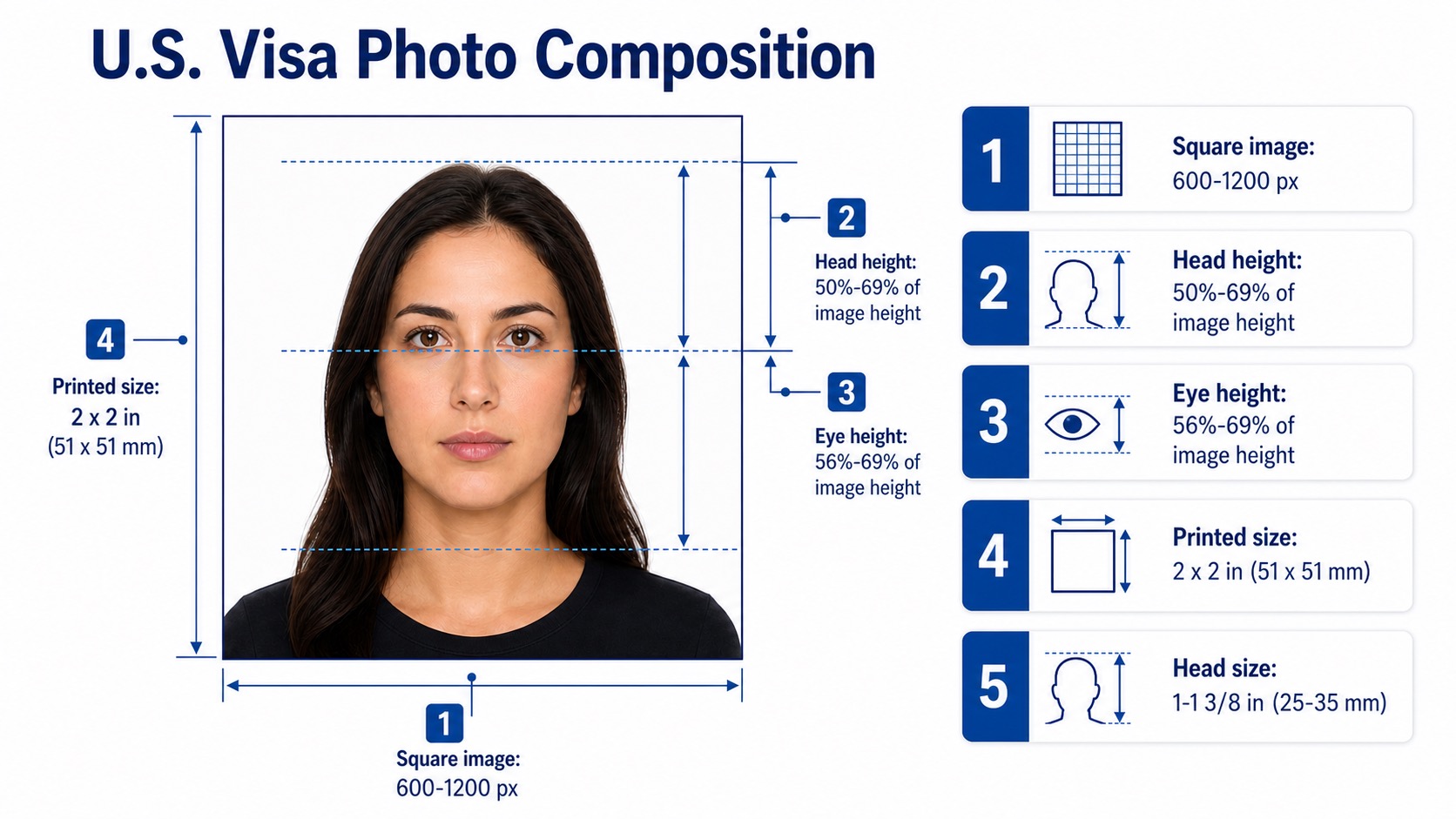
For online visa applications, the official digital image range is a square file from 600 x 600 pixels to 1200 x 1200 pixels. The head should fill 50% to 69% of the image height from the bottom of the chin to the top of the head, including hair, and the eye level should sit 56% to 69% of the image height from the bottom. If a printed photo is requested, the standard print is 2 x 2 inches, or 51 x 51 mm.
| Requirement | Official range | Why it matters |
|---|---|---|
| Digital image dimensions | 600 x 600 px to 1200 x 1200 px | DS-160 upload photos should be square. |
| Digital head percentage | 50% to 69% of image height | Measure from the bottom of the chin to the top of the head, including hair. |
| Digital eye height | 56% to 69% of image height | Measured from the bottom of the image to the eye level. |
| Printed photo size | 2 x 2 inches (51 x 51 mm) | Some interview instructions may still request a printed photo. |
| Head size | 1 inch to 1 3/8 inches (25 mm to 35 mm) | Printed 2 x 2 inch photos use the same head range. |
| File format and color | JPEG, sRGB color | The DS-160 digital upload requires a standard color image. |
| File size and compression | 240 KB or less; 20:1 compression or less | Avoid aggressive compression because it can create visible artifacts. |
Digital upload and background
2. Meet the DS-160 digital upload rules
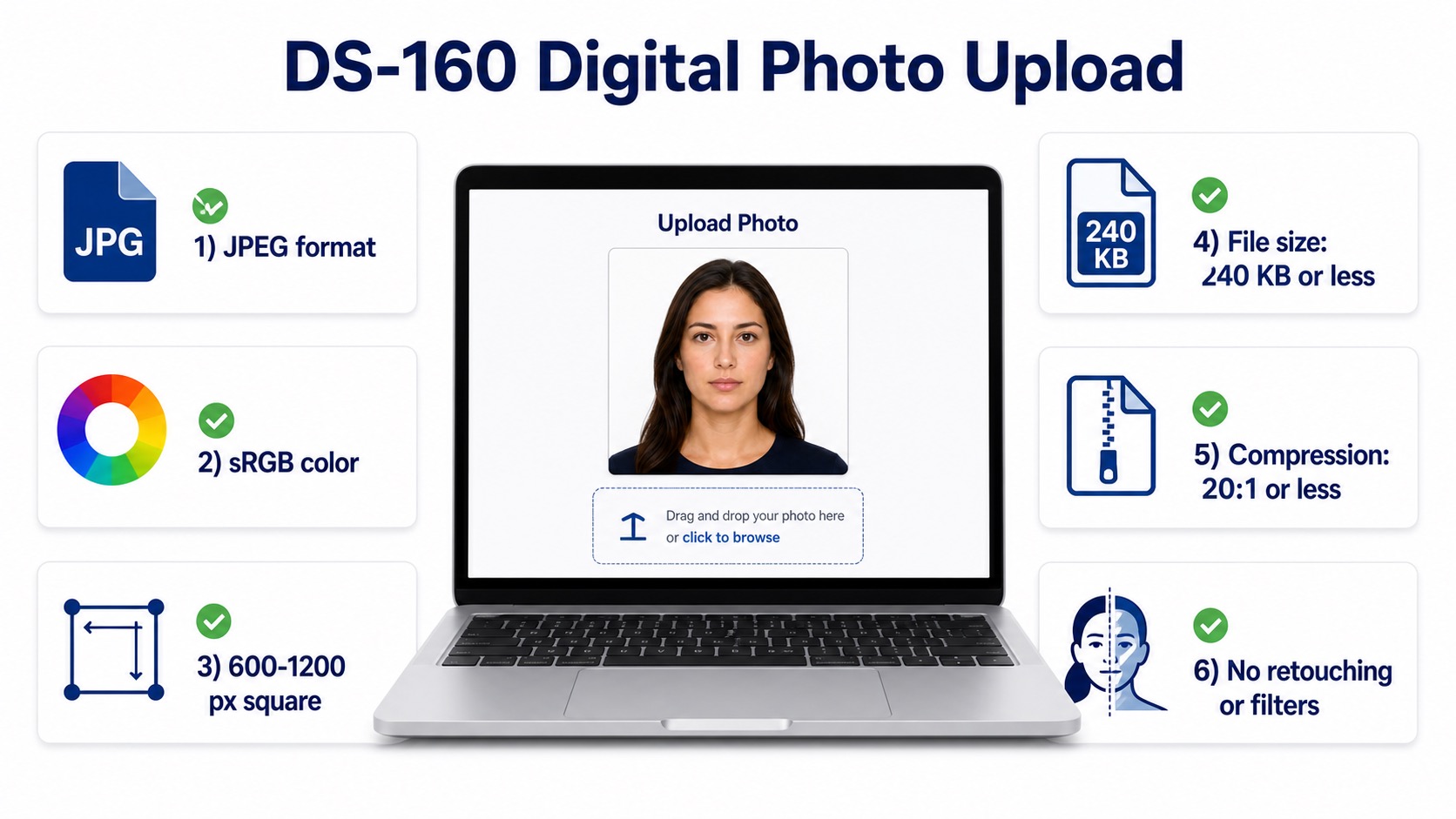
The photo upload for DS-160 and DS-1648 is digital-first. Use a JPEG file in sRGB color, keep the image square, and keep the file size within the official limit. The background still needs to be plain white or off-white, with no texture, lines, objects, or visible shadows.
Use a plain wall
Stand in front of a white or off-white wall without panels, patterns, furniture, or decorations.
Avoid shadows
Move away from the wall and use soft front lighting so the face and background stay evenly lit.
Keep exposure balanced
The photo should not be too bright, too dark, blurry, grainy, or heavily compressed.
Face, pose, and expression
3. Face the camera directly with both eyes open
Your visa photo must show a clear, current image of your full face. Look straight into the camera, keep your head level, and avoid tilting or turning. A neutral expression is safest, and a natural smile is only appropriate when your mouth remains closed and both eyes stay open.
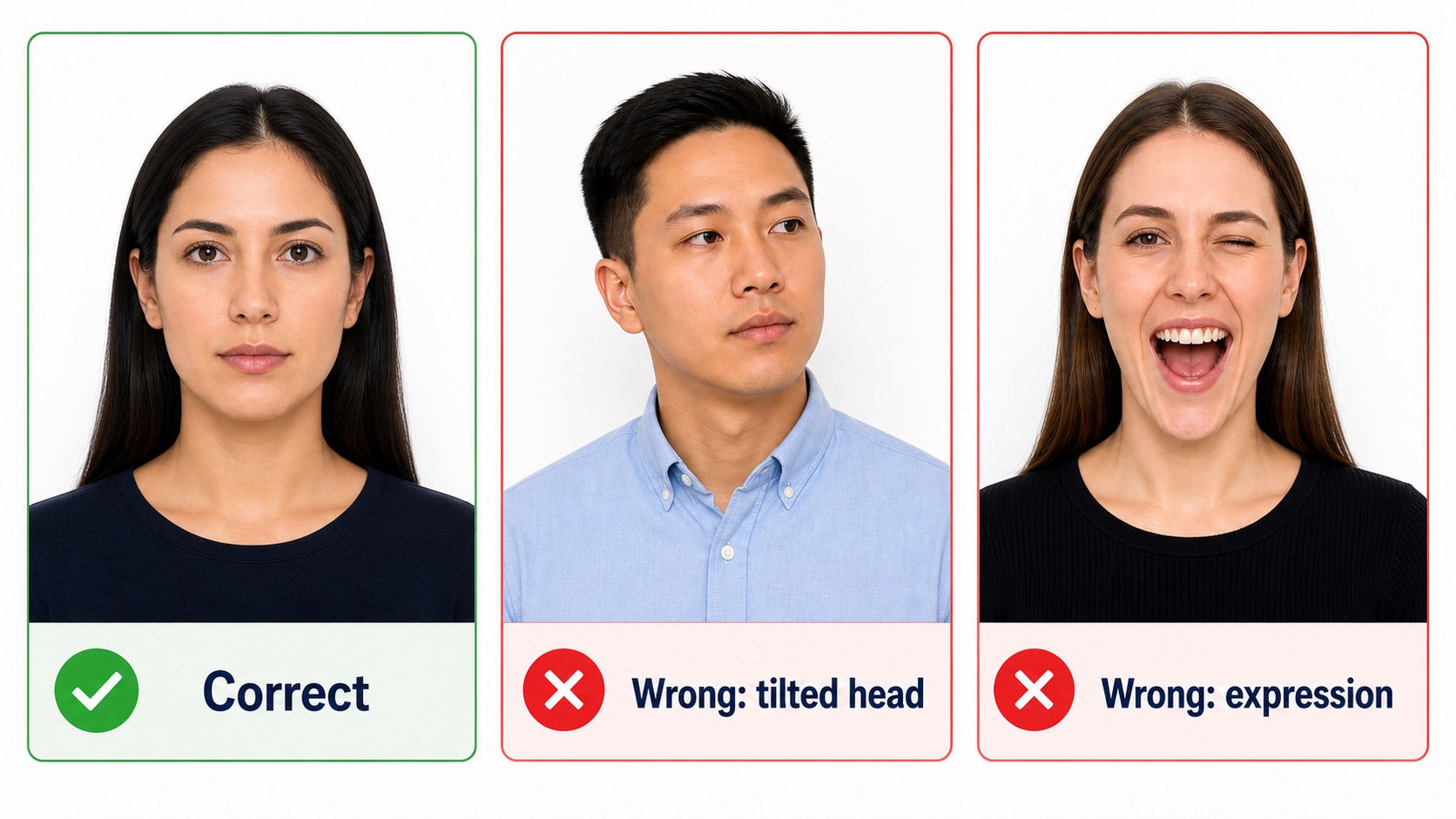
Full face in view
Face the camera directly with the full face visible. Do not rotate, tilt, or angle the head.
Eyes open, mouth closed
Keep both eyes open. A neutral expression is safest, and any natural smile should keep the mouth closed.
No face obstruction
Hair, shadows, glare, masks, hats, or accessories should not cover the eyes, nose, mouth, jawline, or face outline.
Recent appearance
Use a color photo taken within the last 6 months so it reflects your current appearance.
Clothing and accessories
4. Wear everyday clothing and remove glasses
Everyday clothing works best. Avoid uniforms, clothing that looks like a uniform, camouflage patterns, headphones, wireless hands-free devices, face coverings, and anything that blocks part of the face. Eyeglasses should be removed unless a medical exception applies and the application includes a signed note from a doctor.
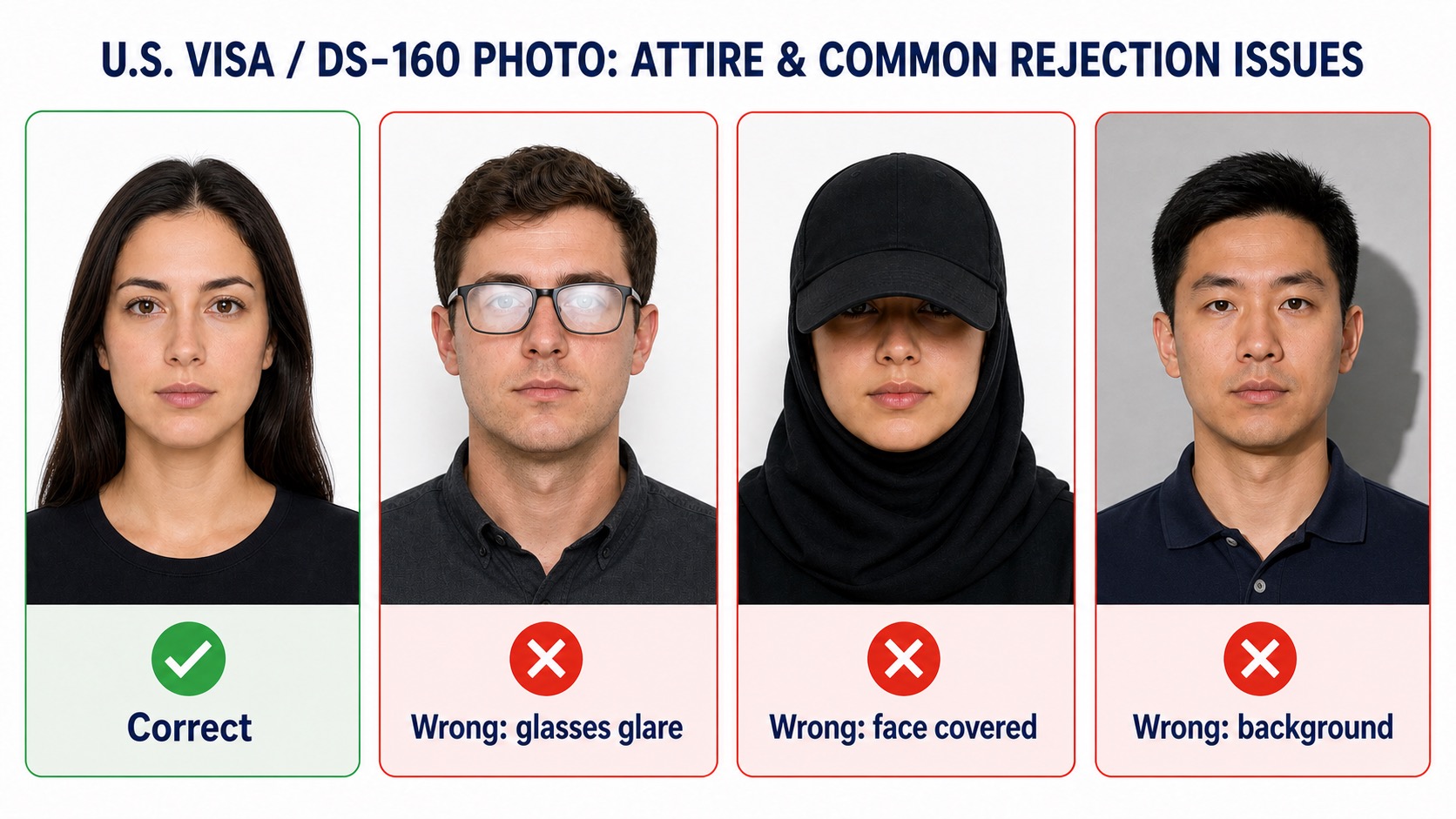
Everyday clothing is best
Wear normal clothing that does not look like a uniform. Avoid camouflage and uniform-like tops.
Remove eyewear
Take off eyeglasses, sunglasses, and tinted glasses unless you qualify for a medical exception.
Head coverings need an exception
Religious or medical head coverings may be allowed, but the full face must be visible and the covering should not cast shadows.
Jewelry is allowed if it is subtle
Jewelry and facial piercings are acceptable when they do not hide the face, create glare, or cast shadows.
Digital file quality
5. Submit a DS-160 compatible digital photo
A DS-160 photo should be sharp, color accurate, and free from blur, grain, pixelation, scanning artifacts, or compression damage. The official digital image rules specify JPEG format, sRGB color, a square 600 to 1200 pixel image, file size of 240 KB or less, and compression of 20:1 or less.
Use a clean JPEG file
Upload a JPEG image in sRGB color. Avoid unusual color profiles or file formats that DS-160 may reject.
Keep the file small but clear
The file should be 240 KB or less, but do not over-compress it. Compression should be 20:1 or less.
Prepare without changing appearance
Sizing, cropping, and background preparation should preserve the natural face. Do not reshape, beautify, filter, or alter facial features.
Review before submitting
The final decision is made by the consular or visa authority, so check every requirement before uploading or bringing a print.
Avoid rejection
Common U.S. visa photo mistakes
Many rejected photos fail for practical reasons: wrong head size, uneven lighting, glare, hidden facial features, non-plain backgrounds, or digital edits that change the applicant's appearance. Review these issues before downloading or printing the final file.
Digital retouching or AI changes
Do not beautify, reshape, filter, or otherwise change your face or appearance.
Wrong head size or position
Photos taken too close, too far away, or off-center may not match the composition template.
Bad lighting or shadows
Overexposure, underexposure, side shadows, and background shadows can obscure your features.
Glasses, hats, or uniforms
Glasses are generally not allowed. Hats or head coverings need a religious or medical exception.
FAQ
U.S. visa and DS-160 photo questions
What size is a U.S. visa photo for DS-160?
For DS-160 digital upload, the image should be square with minimum dimensions of 600 x 600 pixels and maximum dimensions of 1200 x 1200 pixels. If a printed photo is requested, the standard size is 2 x 2 inches.
What are the DS-160 digital photo file requirements?
The official digital image requirements specify JPEG format, sRGB color, a square image from 600 to 1200 pixels, file size of 240 KB or less, and compression of 20:1 or less.
How much of the image should my head fill?
For a digital U.S. visa photo, the head should measure 50% to 69% of the image height from the bottom of the chin to the top of the head, including hair.
Can I wear glasses in a U.S. visa photo?
The U.S. Department of State says to take off eyeglasses, sunglasses, and tinted glasses unless you have a medical reason and include a signed doctor note.
Can I smile in a U.S. visa photo?
A neutral expression is the safest option. A natural smile can be acceptable if both eyes are open and the mouth is closed.
Can a U.S. visa photo be edited with AI?
Official guidance warns against changing the photo with software, phone apps, filters, or artificial intelligence. Use preparation tools for sizing, cropping, background, and output formatting without altering facial appearance.
Do I need a printed photo for a U.S. visa interview?
Many applicants upload a digital photo in DS-160 or DS-1648. Some embassies or visa categories may still ask for a printed 2 x 2 inch photo, so check the instructions for your appointment location.
References
Official sources
The checklist above is based mainly on U.S. Department of State guidance. The final acceptance decision is always made by the reviewing consular or visa authority.